Expert Education Consultants sets up one connected campus system for your college or university: a Moodle learning platform, Student Records, Academic Transcripts and Nova, an AI assistant that builds courses, enrolls students and answers questions. One login. No license fees for the software.
Software can eat a large share of a new school's first-year budget. Then staff spend their days moving data between systems instead of serving students.
A learning platform, a student records system, a transcript tool and a help desk, each with its own bill and its own login.
Staff copy grades and enrollments from one system to the next. Every copy is a new chance for a mistake on a student's record.
Students email the registrar about GPA, holds, balances and due dates. Every new program means more software and more staff.
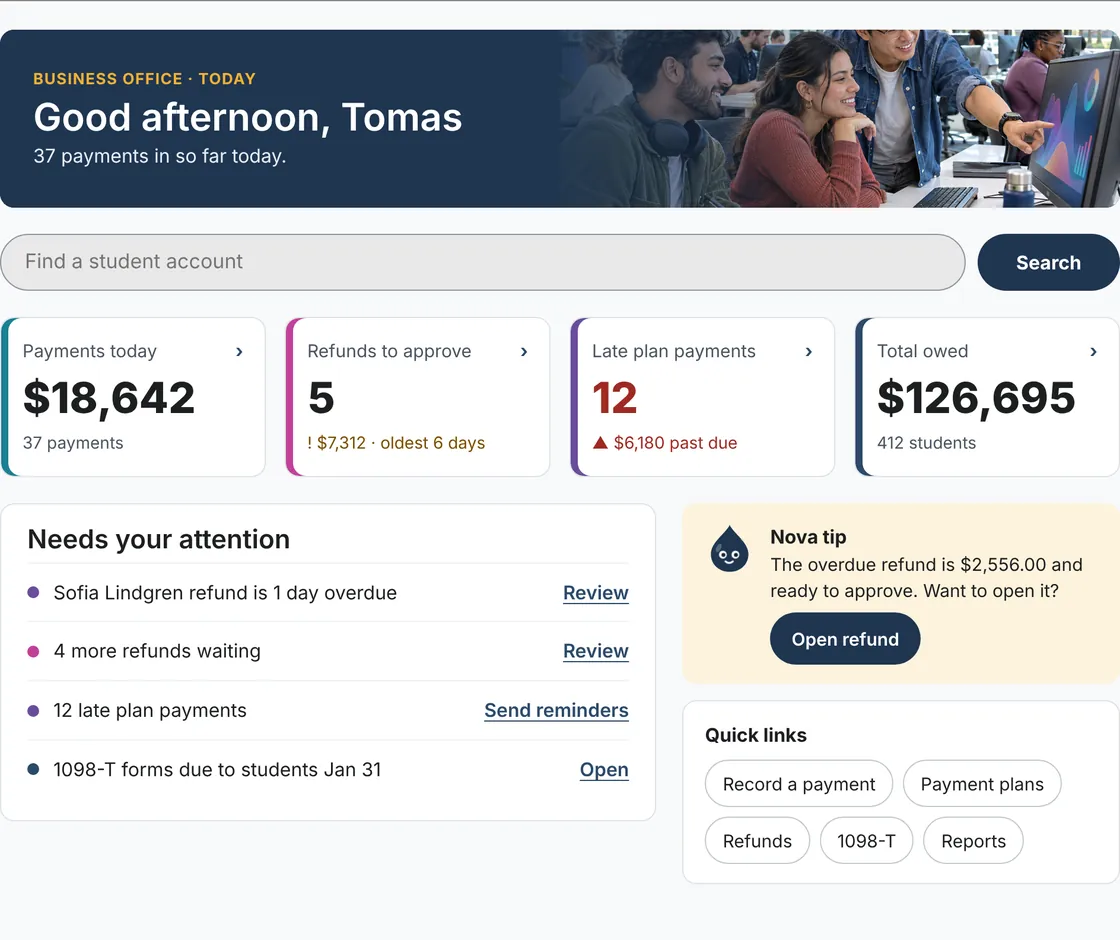
One connected campus system, set up for you. Teachers post grades once and they flow to student records and transcripts. Paid students are enrolled in their courses automatically. Nova handles routine requests any hour, so your staff can focus on students.
Book a Strategy CallThe four parts share one login, one set of roles and one record for each student. Each school enters its own programs, grading scale, policies, catalog and time zone at setup.
Courses, lessons, assignments, quizzes, forums, gradebook, attendance and live Zoom or Teams class links.
Faculty and studentsAdmissions, enrollment, programs, billing and payment plans, holds, faculty records, degree audits and reports.
Registrar, finance, advisorsOfficial and unofficial transcripts built straight from posted final grades, with your own grading scale and legend.
Registrar and studentsDoes tasks and answers questions by chat, inside each person's role permissions, across all three parts.
EveryoneBuilt and hosted in partnership with Clouve, our cloud hosting partner.
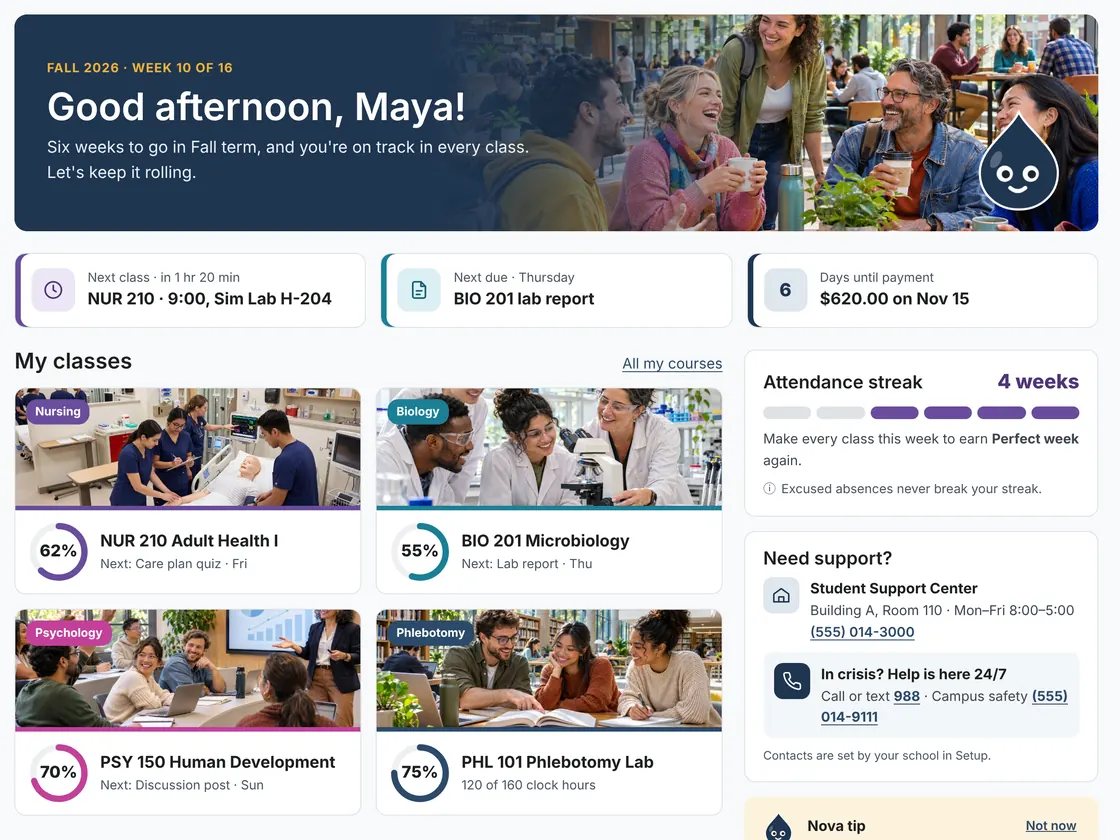
Everyone signs in once and lands on a home page built for their job. Program colors, campus photos and your school's own name and logo are set at setup.
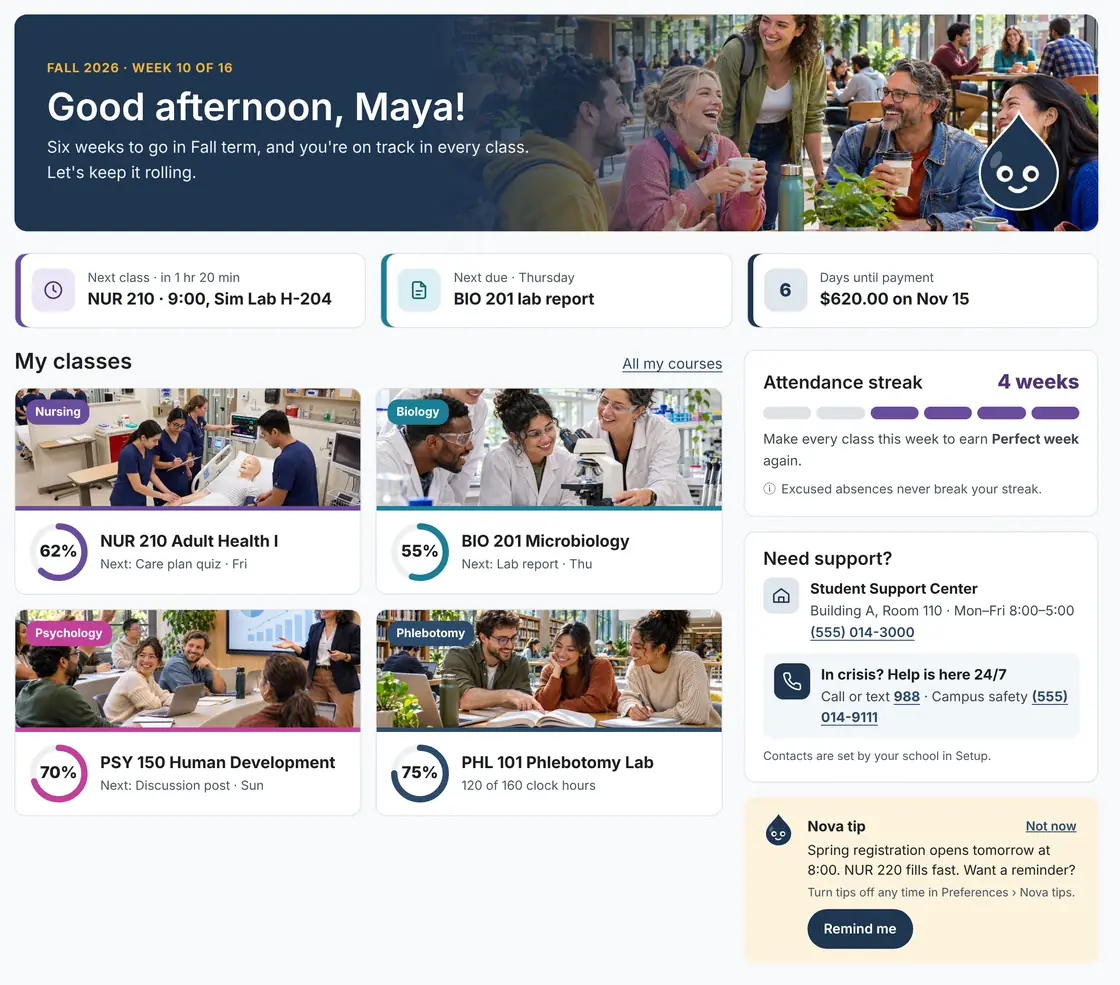
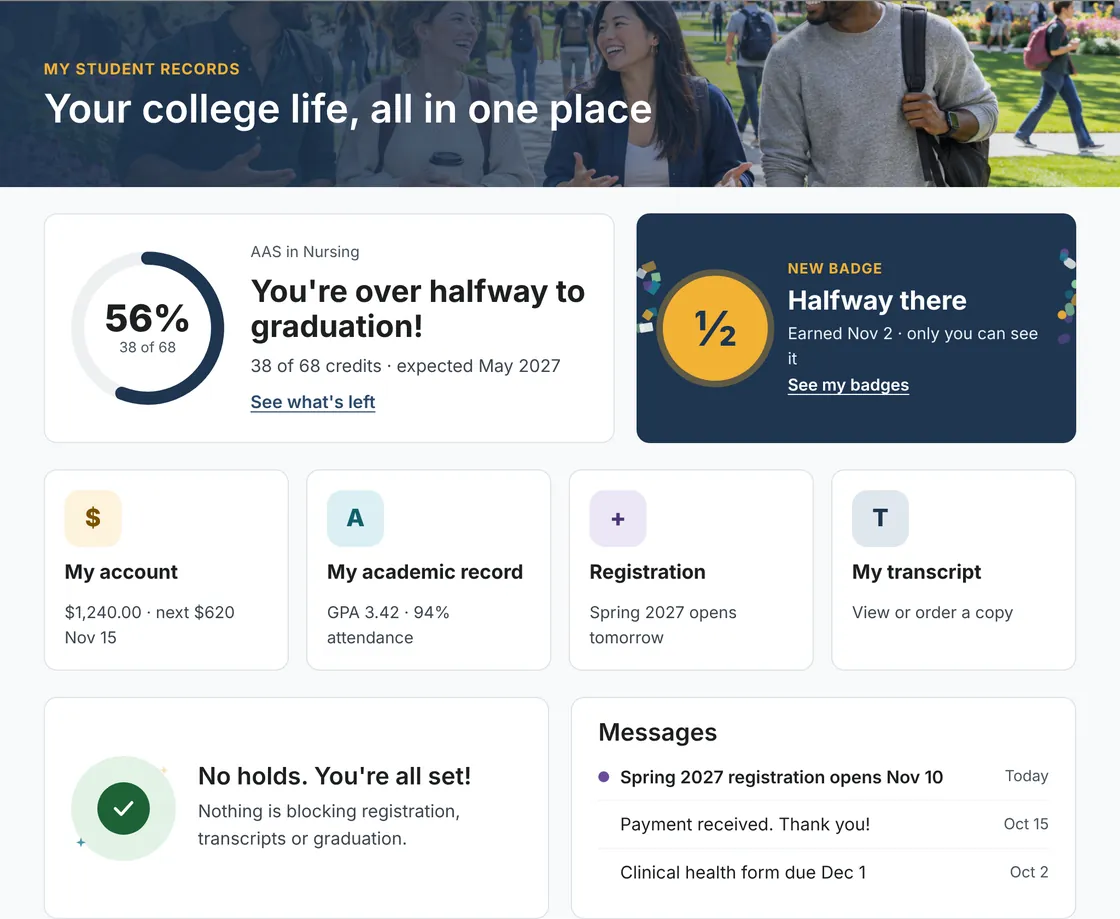
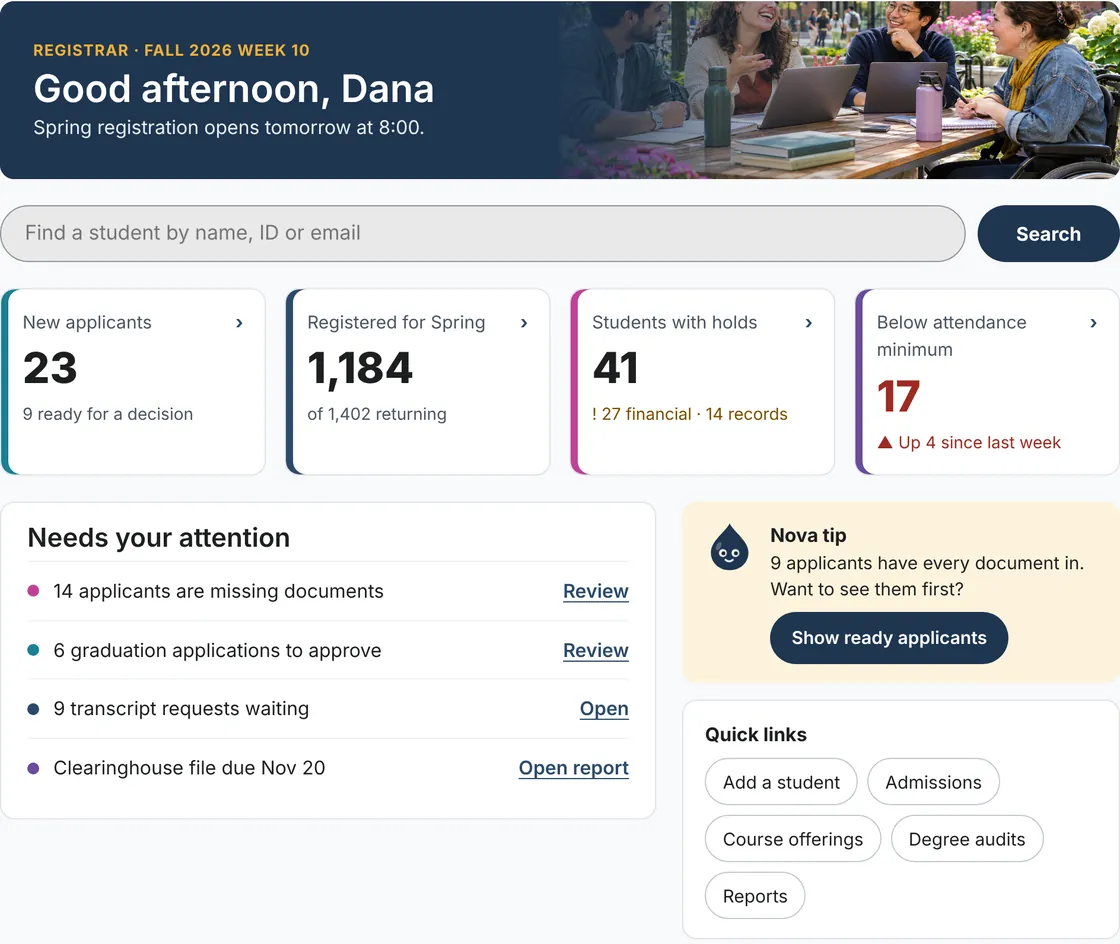
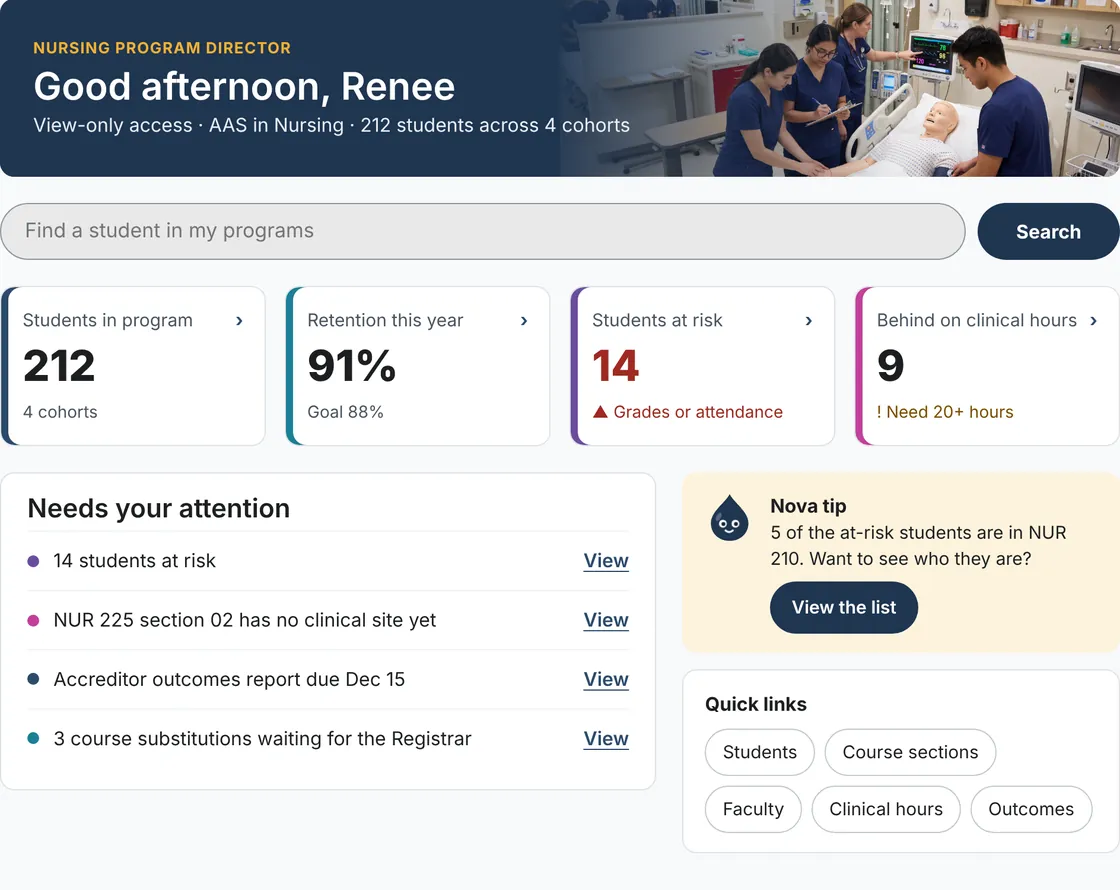
Screens show sample data. Each school sets its own name, logo, colors and photos.

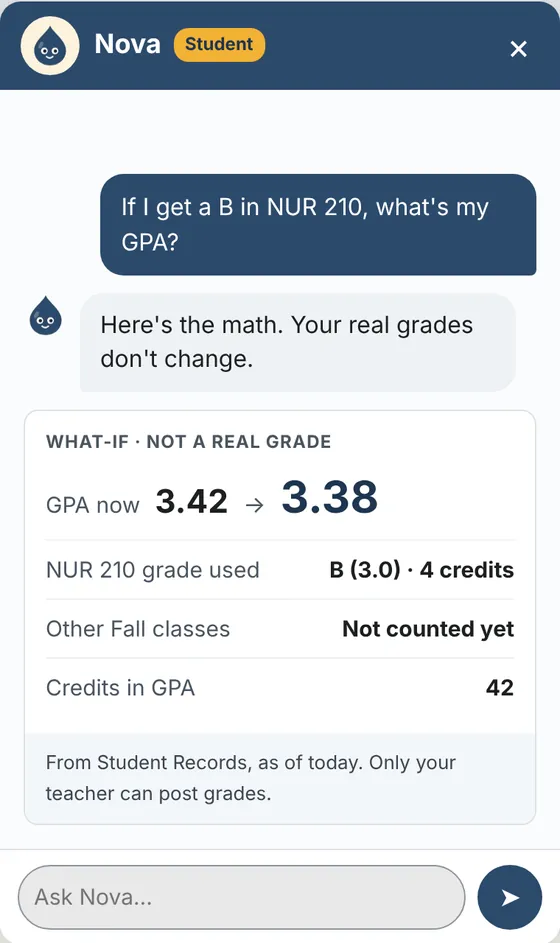
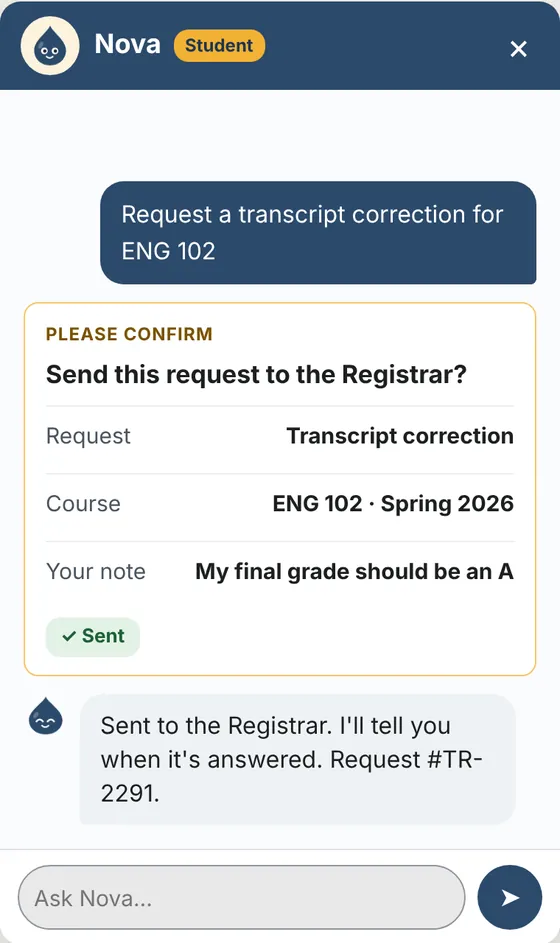
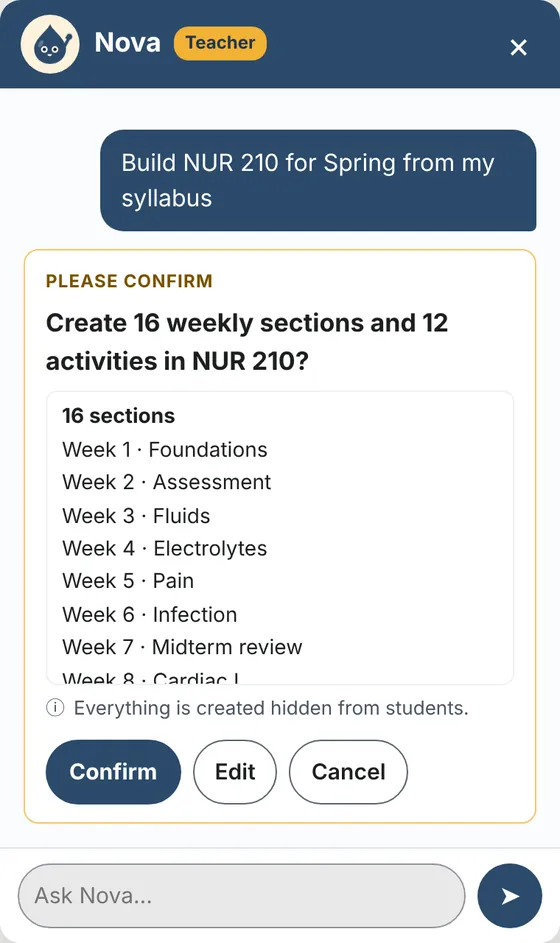
Nova builds a course from your syllabus, enrolls students and gives extensions. Students ask Nova about their GPA, holds, balance, degree progress and graduation, and get answers from their own records and your own catalog, any hour. Nova always asks before it acts and keeps a record of everything it does.
With Nova, many schools may not need to hire a full-time LMS administrator. Nova handles the daily course, enrollment and student questions that usually fill that job.
| Role | What Nova does for them |
|---|---|
| Admin | Anything an admin can do in Moodle: create or copy courses, add users, change settings, run reports |
| Registrar | Enroll students and teachers, add teaching assistants, manage cohorts, look up records, handle transcript requests |
| Finance | Look up student accounts, payment plans, holds and refund status |
| Program Director | Create or copy courses, set dates, assign teachers, view rosters, progress and reports for their own program |
| Advisor | See only their own advisees: progress, degree audit, plans, notes and follow-ups |
| Teacher and TA | Build a course from a syllabus, add weekly content, quizzes, forums and Zoom or Teams lectures, give extensions, take attendance, post final grades |
| Student | Daily briefing, due dates, grades, what-if GPA, holds, balance, degree plan, transcript orders, appointments and help requests |
We set up, load and test the whole system so your team can start teaching, not configuring servers.
We review your programs, delivery mode, grading scale, credit or clock hours and accreditation path.
We install Moodle, Student Records, Academic Transcripts and Nova, then load your catalog, handbooks and policies so Nova answers from your rules.
Five hours of live training for your administration team on courses, records, transcripts and Nova.
You go live with 30 days of post-launch support. Nova's safety switch stays on until your go-live test is done.
Want to see it set up for your programs?
Book a Strategy CallEverything you need to open with a working system.
Optional monthly management as you grow.
Show regulators a working learning platform, student records system and transcript system with your license application or accreditation visit. Attendance, completion, grades and every change are recorded in one place.
Schools in the licensing phase that need a learning platform, student records and transcripts ready before the first cohort.
Schools paying for several separate systems that want one connected system and full ownership of their data.
Schools that need the attendance, grade, completion and enrollment records accreditors expect to see.
Campus Courseware gives you ready-made university courses that load straight into the Moodle we set up. Your school opens with the system and the courses on day one.
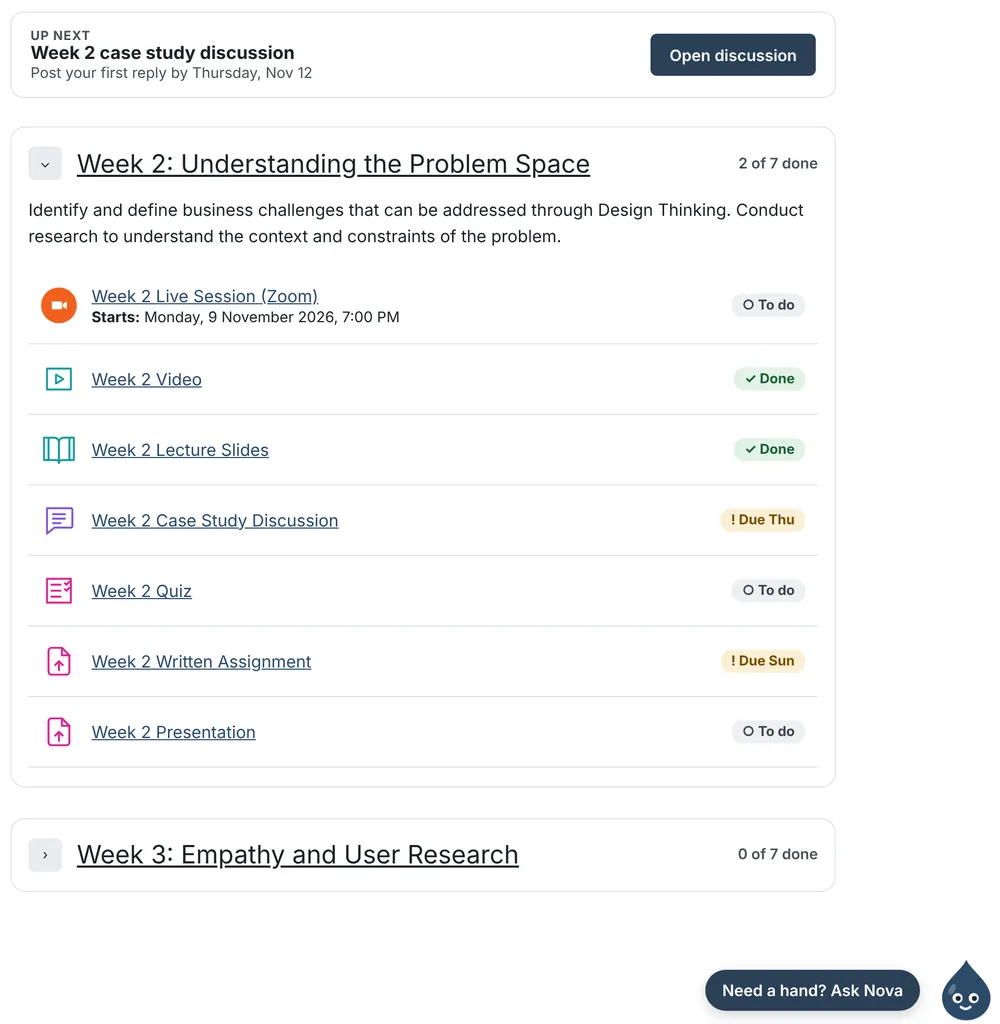
A Campus Courseware course inside your Moodle. Need lectures recorded too? Ask about video lecture management →
For most new colleges, Moodle. It is the world's most widely used open-source learning platform, it has no license fee, and it runs online, hybrid or on-campus courses. We connect it to Student Records, Academic Transcripts and Nova so the whole system works as one.
Yes. Regulators and accreditors expect accurate student records from your first student. Spreadsheets do not give you enrollment history, holds, degree audits or official transcripts. Student Records is built into the same login as Moodle from day one.
Moodle, Student Records and Academic Transcript carry no license fees. Your costs are setup, cloud hosting, AI usage and optional ongoing administration. Book a strategy call and we will walk you through the numbers for your school.
Many schools may not. Nova builds courses from syllabi, enrolls students and teachers, gives extensions, takes attendance and answers routine questions any hour, all inside each person's permissions. Your staff confirm changes and handle the exceptions. With our optional ongoing administration, we also take care of updates, accounts and support.
Yes. Degree programs use credit hours and non-degree programs use clock hours. The system supports both.
Yes. Each school enters its own grading scale, pass rules, policies, catalog and handbooks at setup.
No. Grades are read-only to Nova for every role. Only teachers post final grades, and grade changes need Registrar approval.
Your choice: AI tokens through Clouve, or your own Anthropic, OpenAI or Microsoft Copilot account. Each school can also give the assistant its own name.
Clouve, our cloud hosting partner. Clouve hosts your system on secure cloud servers and keeps the Student Records and Academic Transcript tools up to date.
Yes. Nova never sees card numbers, bank details, passwords or Social Security numbers, and every action is logged. No Social Security numbers are stored in Student Records or printed on transcripts. Nova sends only the minimum student information needed to the AI service, and each school should have a data agreement with its AI provider.
We configure the system to produce the attendance, grade, completion and enrollment records accreditors such as DEAC, ACCSC and SACSCOC expect. Expert Education Consultants has launched more than 115 institutions. Accreditation decisions are made by the accreditor.
You can manage the system yourself, or keep us on for monthly ongoing administration. You can start managed and take over later.
Expert Education Consultants has launched more than 115 institutions across all 50 states. Book a free strategy call to see the system, plan your programs and get a deployment timeline.
Book a Strategy Call